
How to Give Feedback
ShedPilot + Virtual WeightCare — Your feedback helps us improve the app and support your clinical weight loss journey.
🎧 Win Apple AirPods Pro 3
Virtual WeightCare members who submit feedback inside the ShedPilot app are automatically eligible to win Apple AirPods Pro 3. Every piece of feedback you send is an entry. Share what's working, what could be better, or how the app is supporting your journey.
View Official Rules & Eligibility →Step-by-Step: How to Submit Feedback
1
Open ShedPilot and go to the Home screen
Look for the chat bubble icon in the top right area of your dashboard.
2
Tap the chat bubble icon
This opens the feedback form. See the screenshot below for exactly where it is.
3
Choose a category
Pick from General Feedback, Bug Report, Feature Request, Meal Plan Issue, Workout Issue, Billing, and more.
4
Write your message
Tell us what you experienced, what you'd like to see, or what isn't working. The more detail you share, the more helpful it is.
5
Attach photos or videos (optional)
You can add up to 5 screenshots or a short video to help explain your feedback.
6
Tap Send Feedback
You'll receive a ticket number on screen and a confirmation email. Our team responds within 24–48 hours. Your submission also enters you in the AirPods Pro 3 sweepstakes.
What It Looks Like
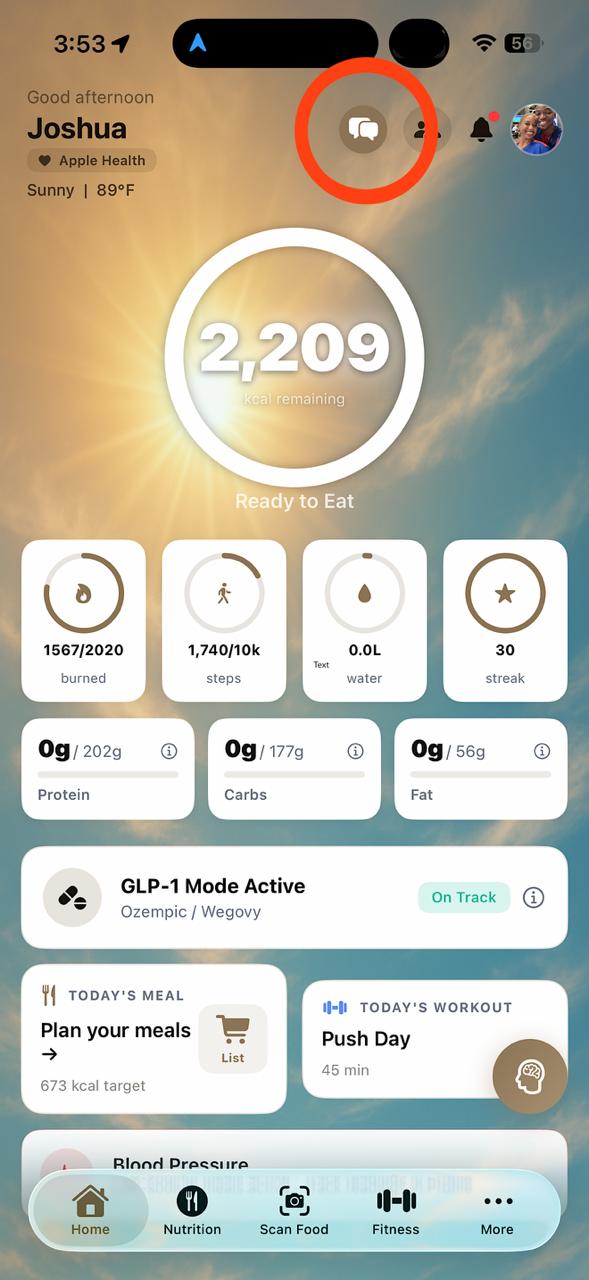
Step 2: Tap the icon
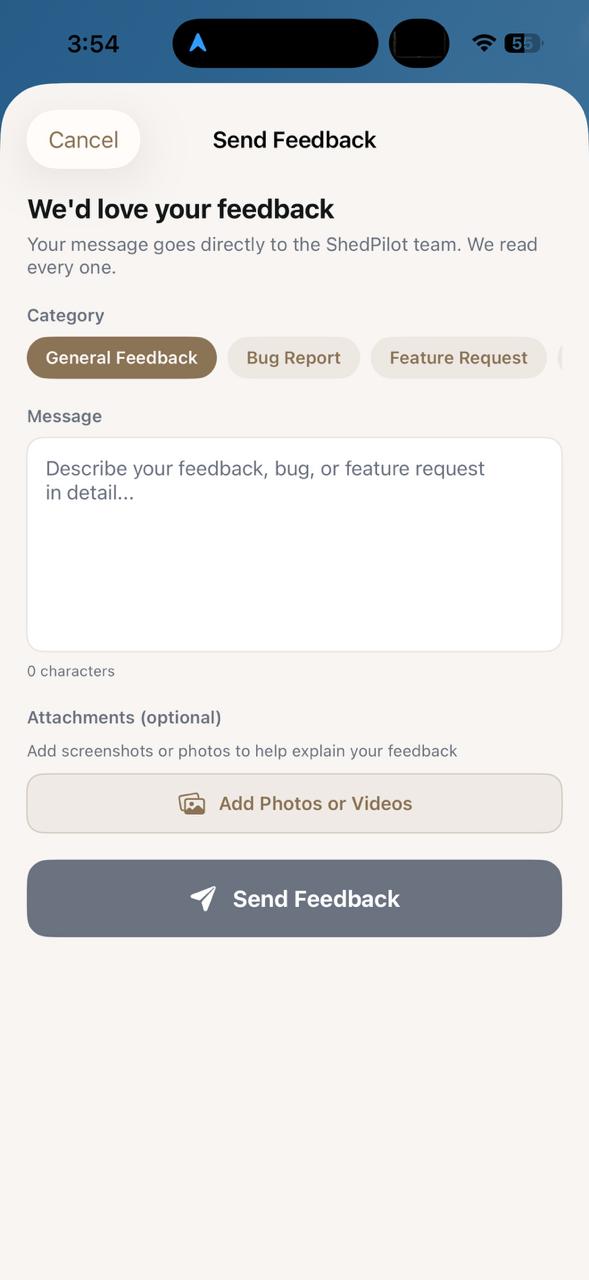
Steps 3–6: Fill out and send
Prefer Email?
You can also reach the ShedPilot team directly at:
help@shedpilot.comInclude your name, the email you used to sign up, and a description of your feedback or issue. We typically respond within 24–48 hours.
See the App in Action
Watch a quick overview of ShedPilot and what you can do with it.