
How to Give Feedback
Your voice helps us build a better ShedPilot. Here's how to reach our team directly from the app — it takes less than a minute.
Step-by-Step
1
Open ShedPilot and go to the Home screen
Look for the chat bubble icon in the top right area of your dashboard.
2
Tap the chat bubble icon
This opens the feedback form. See the screenshot below for exactly where it is.
3
Choose a category
Pick from General Feedback, Bug Report, Feature Request, Meal Plan Issue, Workout Issue, Billing, and more.
4
Write your message
Describe what you experienced, what you'd like to see, or what isn't working. The more detail the better.
5
Attach photos or videos (optional)
You can add up to 5 screenshots or a short video to help explain your feedback.
6
Tap Send Feedback
You'll receive a ticket number on screen and a confirmation email. Our team responds within 24-48 hours.
What It Looks Like
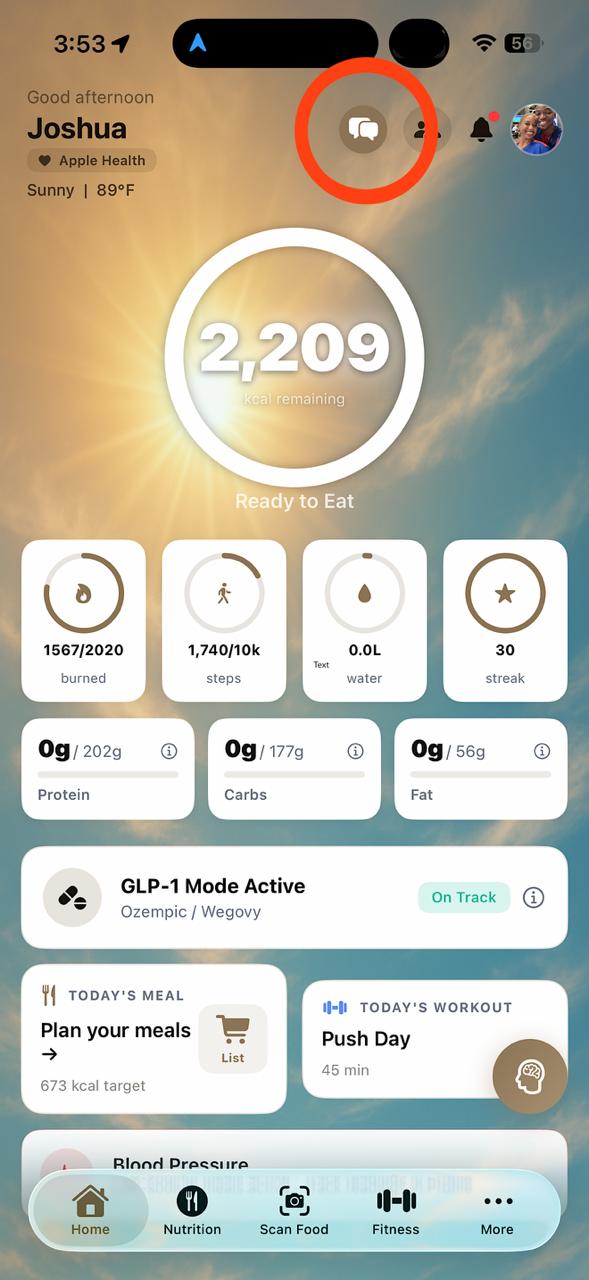
Step 2: Tap the icon
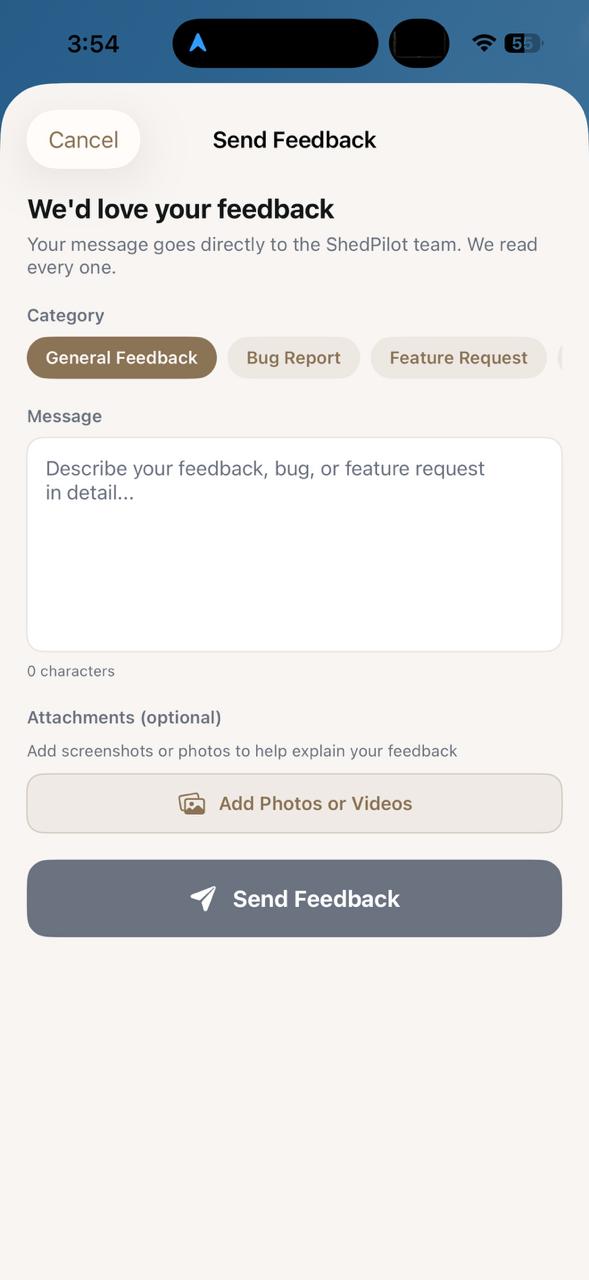
Step 3-6: Fill out and send
Prefer Email?
You can also reach the ShedPilot team directly at:
help@shedpilot.comInclude your name, the email you used to sign up, and a description of your feedback or issue. We typically respond within 24-48 hours.